When your applications grow they are prone to facing an ever-growing array of security threats. From brute force attacks on login pages to API abuse and DDoS attempts, developers need robust protection mechanisms that don't compromise user experience. This is where you need Arcjet.
It is a developer-friendly security platform that helps protect your apps in just a few lines of code.
Whether you're building a simple API or a complex web application, understanding how to implement effective rate limiting and attack protection is crucial. Let's explore how Arcjet can safeguard your application while maintaining the performance your users expect.
Why Modern Apps Need Advanced Protection
Web applications today face sophisticated attacks that go beyond traditional network-level threats. Consider these common scenarios:
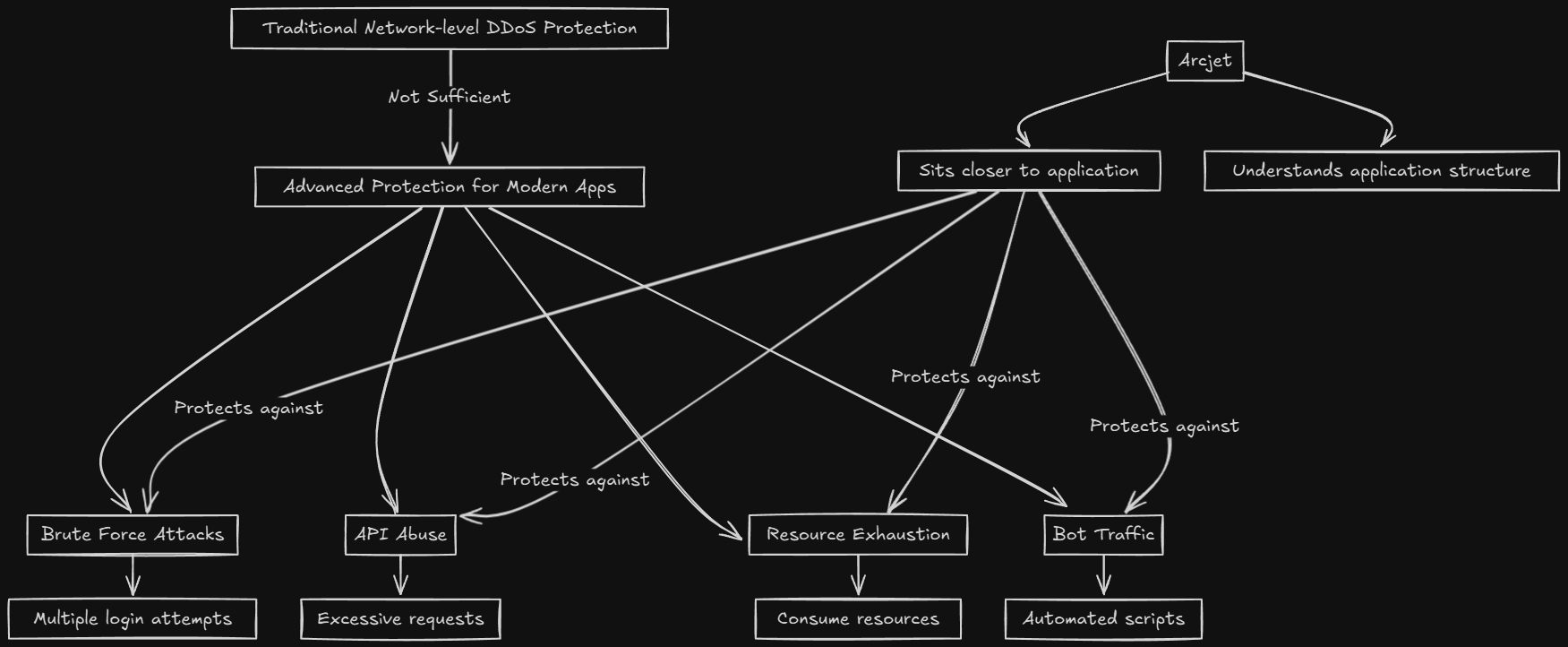
- Brute force attacks - Attackers attempt multiple login combinations to gain unauthorized access
- API abuse - Clients make excessive requests, potentially overloading your servers and affecting other users
- Resource exhaustion - Malicious actors consume your application resources, leading to poor performance for legitimate users
- Bot traffic - Automated scripts scrape content, skew analytics, or perform unwanted actions
Traditional network-level DDoS protection, while important, can't address these application-specific threats because they don't understand the context of your application. This is where Arcjet shines - it sits closer to your application and understands the structure and sensitivity of different routes.
What is Rate Limiting???
Rate limiting is one of the most effective ways to protect your application from abuse. It works by controlling how many requests a client can make within a specific time period. However, not all rate limiting is created equal.
Arcjet's rate limiting goes beyond simple request counting. It provides three sophisticated algorithms, each designed for different use cases:
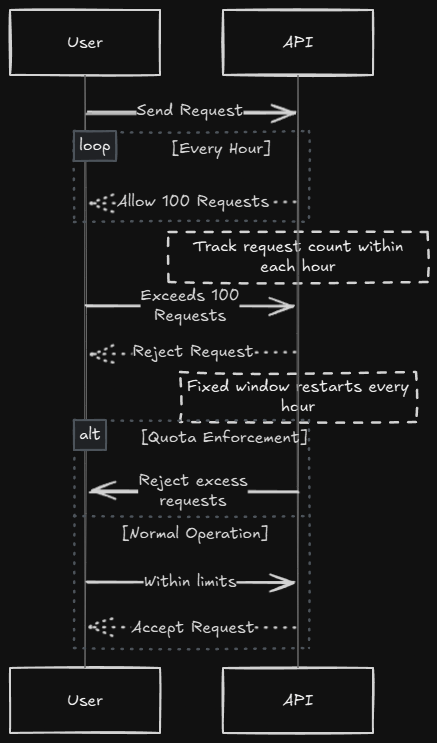
1. Fixed Window
The simplest approach, fixed window rate limiting tracks requests over a fixed time period. For example, you might allow 100 requests per hour. This algorithm is perfect for straightforward quota enforcement.
Best for: Simple API quotas, basic protection against request floods
Example use case: A public API that allows 1000 requests per day per API key
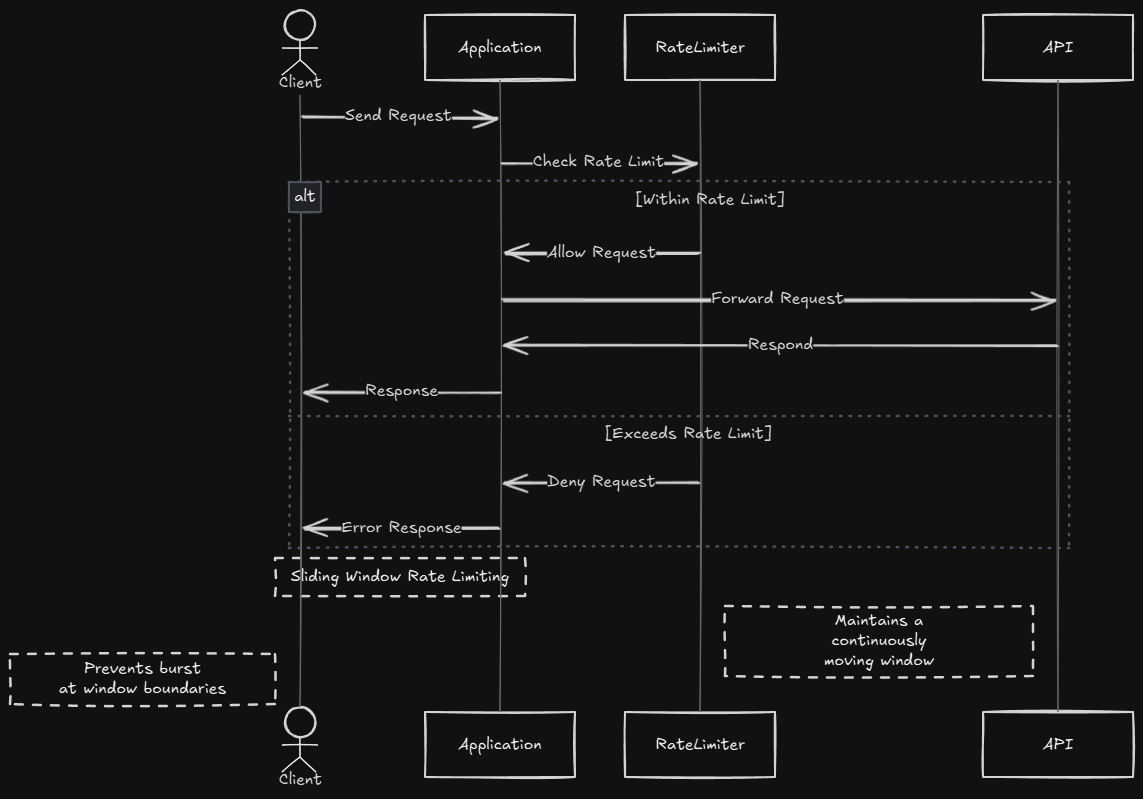
2. Sliding Window
More sophisticated than fixed windows, sliding window rate limiting provides smoother protection by continuously moving the time window. This prevents the "stampede effect" where clients can burst requests at window boundaries.
Best for: Applications requiring consistent request distribution over time
Example use case: A social media API where you want to prevent sudden spikes in posting activity
3. Token Bucket
The most flexible algorithm, token bucket rate limiting allows for controlled bursts of activity. Think of it as a bucket filled with tokens - each request consumes tokens, and the bucket refills at a steady rate.
Best for: Applications that need to allow legitimate bursts while maintaining long-term limits
Example use case: An AI-powered application where different requests consume different amounts of computational resources (tokens)
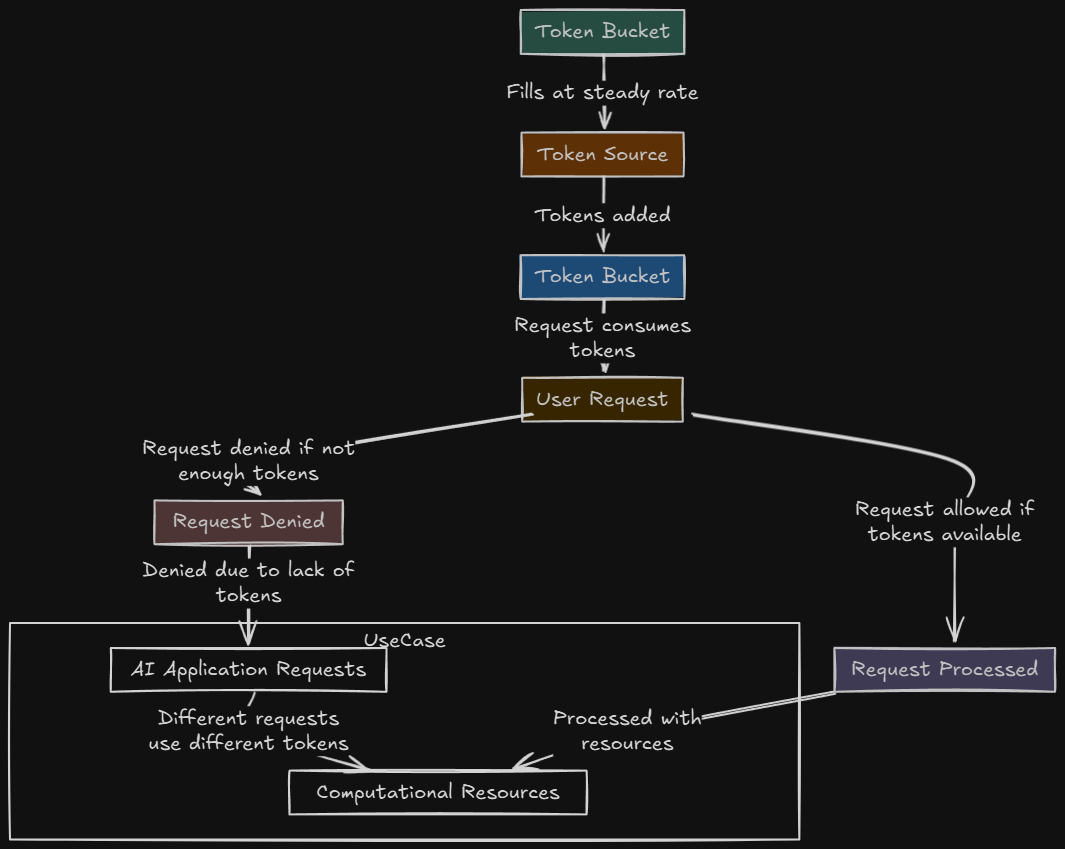
How to implement Arcjet into your Nextjs app
Let's see how easy it is to implement Arcjet protection in a real application. Here's a practical example of protecting a Next.js API route:
1. Install Arcjet
In your project root, run the following command:
pnpm add @arcjet/next @arcjet/inspect2. Set your key
Create a free Arcjet account then follow the instructions to add a site and get a key.
Add your key to a .env.local file in your project root.
ARCJET_KEY=ajkey_yourkey3. Add rules
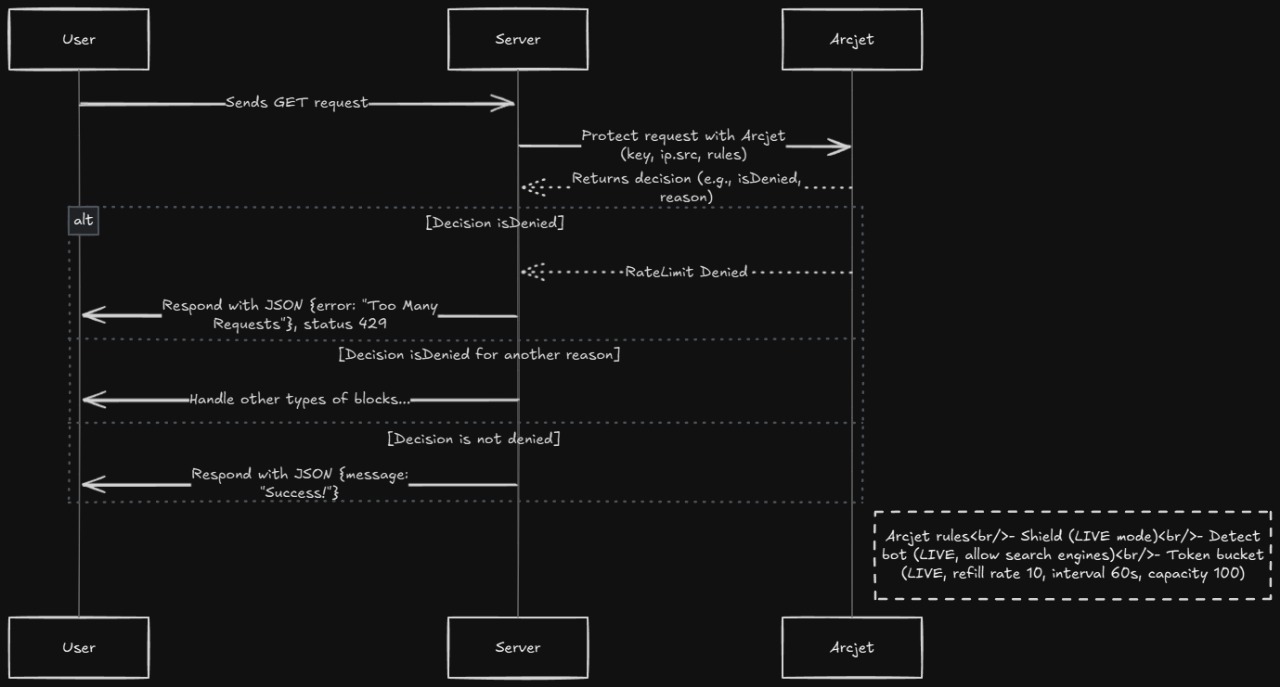
This configures Arcjet rules to protect your app from attacks, apply a rate limit, and prevent bots from accessing your app.
Create a new API route at /app/api/arcjet/route.ts :
	import arcjet, { detectBot, shield, tokenBucket } from "@arcjet/next";
	import { NextResponse } from "next/server";

	const aj = arcjet({
	key: process.env.ARCJET_KEY!,
	characteristics: ["ip.src"],
	rules: [
		// Protect against common attacks
		shield({ mode: "LIVE" }),

		// Block malicious bots while allowing search engines
		detectBot({
			mode: "LIVE",
			allow: ["CATEGORY:SEARCH_ENGINE"]
		}),

		// Implement intelligent rate limiting
		tokenBucket({
			mode: "LIVE",
			refillRate: 10,
			interval: 60,
			capacity: 100
		})
	]
	});

	export async function GET(req: Request) {
	const decision = await aj.protect(req, { requested: 5 });

	if (decision.isDenied()) {
		if (decision.reason.isRateLimit()) {
			return NextResponse.json(
			{ error: "Too Many Requests" },
			{ status: 429 }
			);
		}
		// Handle other types of blocks...
	}

	return NextResponse.json({ message: "Success!" });
	}
Simple representation of how it works